
Mine
Find the values.
Place Miners on glowing number fields and connect their output sockets to your Belt network.
Top-down factory defense
Every attack asks for a number. Mine the inputs, solve the equation, press the result into Ammo, and route it to the towers before the rift reaches your Core.
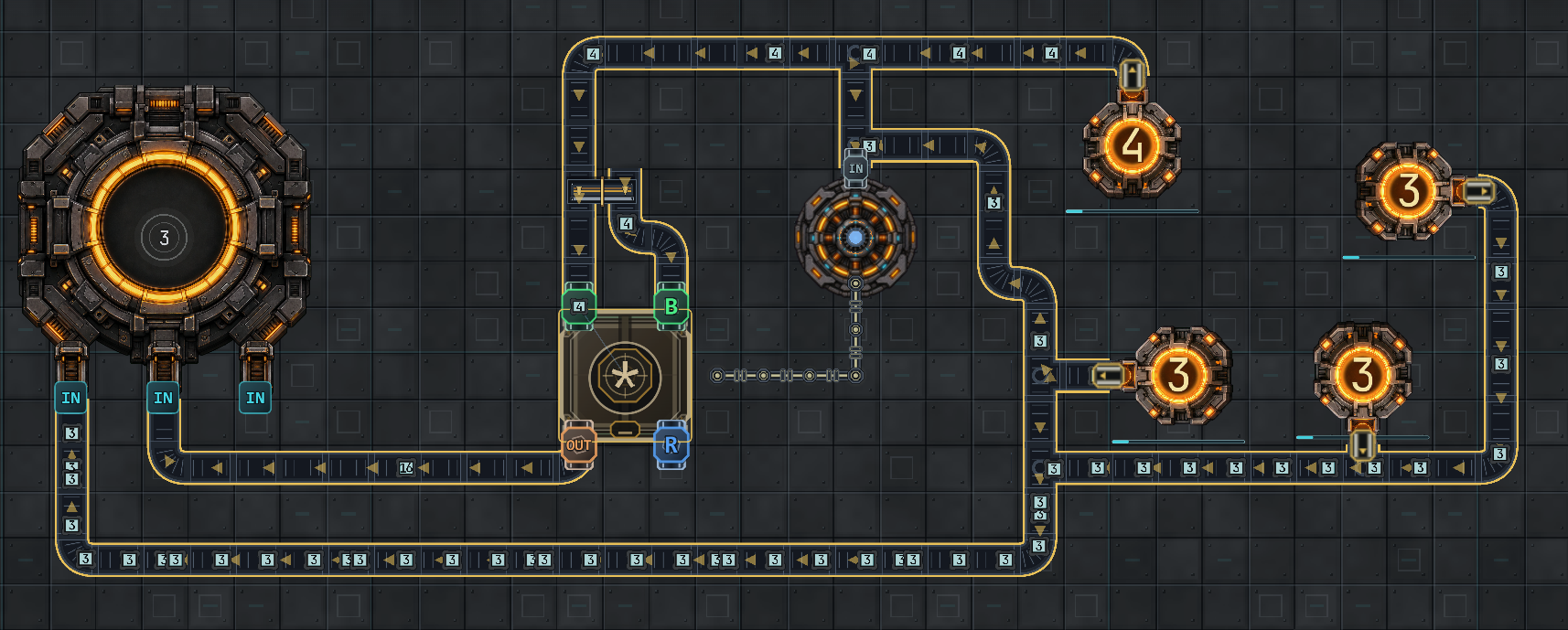
One readable combat loop
You do not click an answer from a list. You build a machine that keeps making it while the battlefield changes around you.
Mine
Place Miners on glowing number fields and connect their output sockets to your Belt network.
Solve
Route both values into MATH. Addition is only the opening move; later waves demand a smarter factory.
Arm
The AMMO packer accepts the processed target value and ejects physical Ammo Boxes for your defense line.
Defend
Load turrets, reinforce routes, survive the wave, then rebuild before the next rift opens.
Factory pressure, not worksheets
Early attacks teach the chain. Later pressure adds runners, tanks, splitters, shields, support enemies, bosses, tighter prep windows, and new target values. Your layout has to keep up.
Open the field handbookFour defense roles
Start with fast direct fire, then unlock area damage, control, and support. Every tower spends real Ammo Boxes made by your factory.
01 / DIRECT
02 / SPLASH
03 / CONTROL
04 / SUPPORT
Public browser playtest
Math Wars opens straight into a guided local run. The first action is always clear; the systems underneath it are built to grow into long, replayable factories.
Core online